Desklog
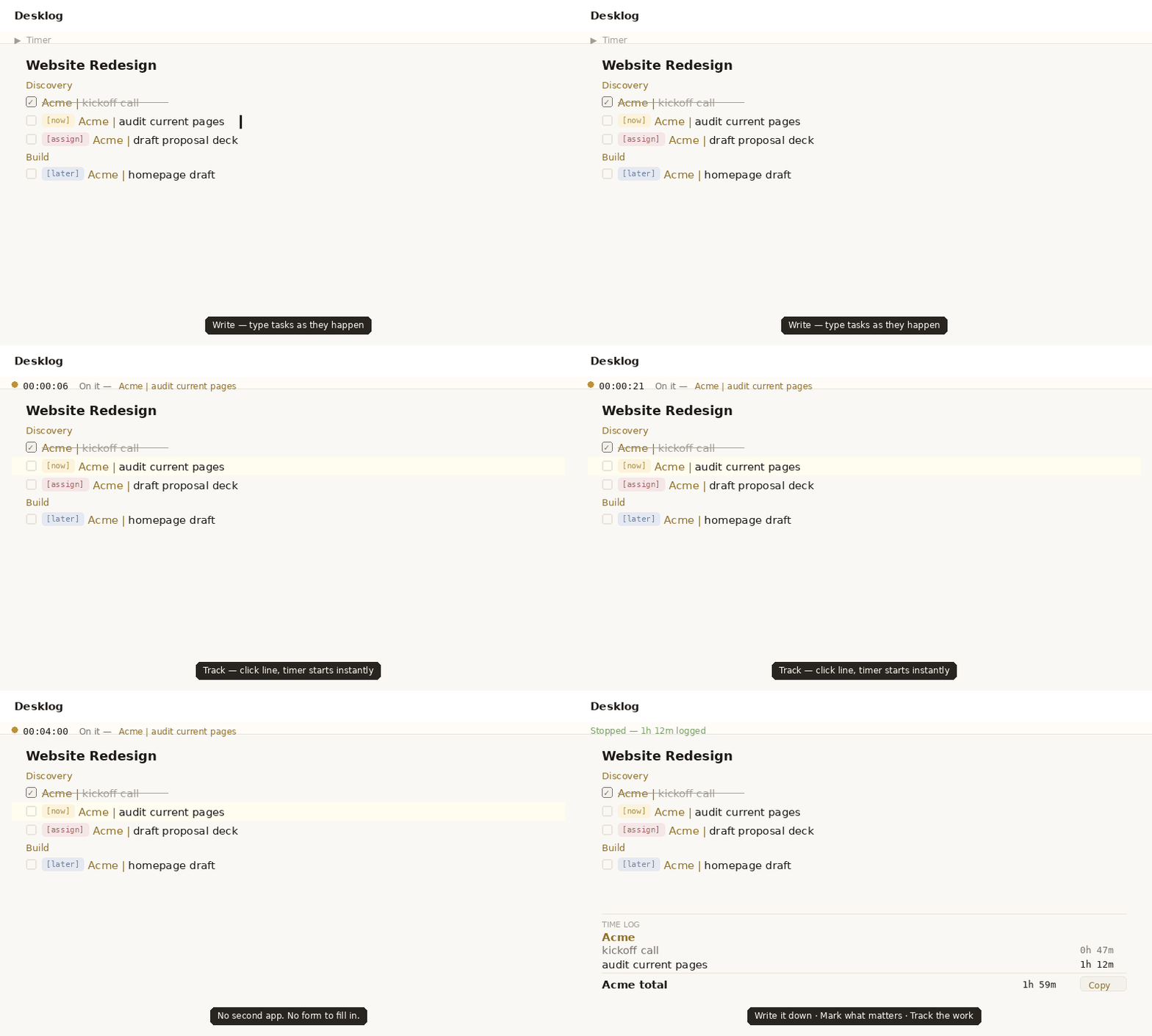
Write your tasks freely. Click a line to start timing it. Leave the line and it renders beautifully. That's the whole idea.
For freelancers
Capture the work as you do it, not at 6pm from memory. Click a line, start the clock, keep writing. At invoice time, your hours are already grouped and totaled — just hit Copy.
For anyone juggling clients
Tag a task Client | task and it's automatically grouped and totaled by client or project — no folders, no setup, no separate tool per client.
Most tools demand your attention.Built for people who write tasks the same way they think — freely, quickly, without ceremony.
This one earns it.
01 — Focus mode
Click any line to edit it as plain text. Leave the line — it renders into a heading, a tagged task, a checkbox. No toolbar, no mode switch, no friction.
Use ### Name for a section. Name | task for a one-liner. [ ] for a checkbox. Write naturally — the tool understands.
02 — Task timer
Click any line in your notes and hit Start. The timer runs. Pause it when interrupted. Stop it — and the time is logged, appended to the line, and grouped under the right client or project in your Time Log.
The status strip elevates with an amber glow when you're actively timing. The vertical TIMER label and amber spine signal the running state without shouting at you.
03 — Client & project tagging
Two natural patterns — no new syntax to learn. Use ### Client to open a section with multiple tasks under one client or project. Use Client | task for a quick one-liner.
Both render the same amber label. Both group correctly in the Time Log. Juggling five clients looks exactly as simple as juggling one.
04 — Time log
Every completed task is grouped by client or project, with a total time per group. At invoice time, click Copy for a clean plain-text report ready to paste anywhere.
No export wizard. No CSV. Just structured text that makes sense to a human.
05 — AI tidy
Write fast and messy — that's how thinking works. When you're ready, click ✦ Tidy. Claude reads your list, fixes spelling and grammar, removes duplicates, and makes every task start with an action verb.
Your notation — checkboxes, client tags, headings, bullets — is preserved exactly. Only the prose gets polished.
Most productivity tools are built to hold data. This one was built to be used daily — which means it has to feel good to open, not just functional to interact with.
The palette is parchment editorial: warm ivory page, pure white surfaces, warm near-black text that reads like ink. The amber accent appears only where it earns its place — active timers, name tags, the running state spine.
The vertical TIMER label. The elevated status strip. The Typora focus mode. These aren't features. They're the reason you'll open the tab again tomorrow.
Sign in with Google. Nothing to set up, nothing to remember.
Open Desklog →Works in any browser · Syncs across devices